Rosie Times Ahead
Long time no see! Over the last month, great strides have been taken towards pushing towards the end of the Great Refactor Era. So much has changed that it would be difficult to catalogue all of it. Nonetheless, today I'm excited to share with you what has come from my recent progress!
Remilia
Since Boss 1 has been my primary area of focus for much of the last month, let's begin with the developments here. First, let's go back in time a bit to discuss how the project to refactor it began.
Health Bars
Starting in about December of last year, I had plans to overhaul health bars, giving them a whole new coat of paint and polish, tailored for each unique instance of them. This feature was a direct successor to what I made in the last released update for the game, v0.1.0.3, which made health bars shake when damaging a boss. This idea came about due to a combination of my friends urging me to do something unique, but also because of a problem I ran into while creating something in Stage 3.
 The original "boss" health bar, which was directly copied from base K3. Aside from the minor shaking effect I added in the previous version, it was mostly still.
Now compare that to:

Boss 1's specific health bar, in this case a "Health bauble". Here you can see a little preview of how it shakes and the residual "damage bar" that decrements over time.
and that's not all! I didn't stop at giving the bosses themselves unique health bars. In fact, even the intermissions feature their own health bars. Check this out!

Story of the progression after Health Bars
After I finished making the new health bars, my next goal was to implement a better practice system before going back to where I left off in Stage 3. This better practice system was first and foremost meant to be a way to add full practice to Boss 2, which previously had a very limited degree of practice due to its sheer complexity. My goal was to correct this for the next update. To make a long story short, in order to put this better practice system in play, I was going to need to refactor Boss 2. This is certainly not a small task.
Due to the daunting nature of this task, It was around this time that I brought Synthasmagoria on board, and he graciously agreed to assist me in fixing up a few things and enhancing some systems while I attempted to fix this. In hindsight, there's a sense of irony to this whole thing because a big focus for me was to put a stop to having to go back and fix things earlier in the game any time something new was made, or trying to improve things in certain ways when old systems couldn't adapt anymore.
This small collaborative effort that I initially had planned with Synthas turned into the last 6 MONTHS of work that we have put in, and basically all of the focus of that work has been towards refactoring quite literally the entire codebase of the current game! Needless to say, this has been a ridiculously big ask, and to say we lost sight of the original goal along the way is an understatement. Just to put in perspective, here's what I was originally planning to do:
Overhaul health bars > overhaul the practice system and implement it into Boss 2 > continue where I left off in Stage 3.
This small little timeline has turned into an extraordinary sequence of events that has resulted in so much of the game and engine changing that even among IWBTG fangame engines, I think it may be almost unrecognizable to most.
None of this is to complain or cast aspersions at all though. Truthfully, I am pleased. All the hard work we've put in, and all the coding paradigms that I have been taught, not least by Synthas who I have to give mad props to for being a great teacher of programming, has resulted in the best version of the game thus far, better than I even imagined it being. I feel a great sense of power from where we stand, and believe that it would be nigh-on impossible to improve the general quality of the codebase much further.
Better Timelines
Shortly before my efforts to refactor Boss 1 began, Synthas created a new "Timeline" system, which is essentially a direct upgrade to the Timelines that GameMaker offers in the IDE.
The timeline system is, in my opinion, the next logical evolution of boss making in fangames. For much of history, making bosses has been a very difficult task, that only the most patient and/or dedicated makers have been able to pull off at a high level. Much of the problem stems from the fact that there's seemingly no one great way to make a boss, which is only natural given that fangame bosses are so robust and varied. That said, there are a few systems that have been somewhat consistent over the years.
There are 3 systems that people typically use for making bosses. Here, I will list these systems, and my opinions of the pros and cons that these systems offer.
System 1: (GameMaker) Timelines Assets
Pros:
Perform "moment" events linearly, therefore making it easy to know what's going to come next.
Can be fairly easily stopped and started.
Can be segmented together with some know-how.
Cons:
Are highly constrained code-wise, making it difficult to have a "consistent" action over time.
Are very difficult if not just straight up impossible to transfer between projects, especially prior to GMS2.
If you are looking at multiple timelines segmented together, it can be very difficult to determine where one ends and another begins.
System 2: Object-Based Events
Pros:
Allows all the code of an attack to be self-contained to an object or small group of objects, making organization easy.
Allows for the simplest implementations of practice tools.
Cons:
Can quickly become very difficult to parse with enough objects involved.
Often involves using a lot of alarms, which without careful planning can become quite hard to put together.
Hard to use on its own without another system for assistance.
System 3: Step Timer
Pros:
Just about the simplest type of timer you can use, and is very easy to write.
Fairly doable to put all the code of a boss in one object using it.
Allows you to easily have consistent "events" over time, by checking for time in a range. and even in multiple ranges.
Cons:
Basically guaranteed to become very messy.
Often requires a ton of else if chains, sometimes even nested ones, which are hard to work with.
I think of these 3 systems, the Step Timer is probably the most common one, and probably the one that people would find most favorable due to the simplicity to add to it compared to Object-based events or Timelines. One through-line with these 3 systems though is that, each one has a con where another system makes up for it. Ultimately, while I do think Step Timers are probably the best standard implementation, their cons are something that are made up for by the other, less desirable systems.
Enter a 4th system:
System 4: Declarative Timelines
Pros:
Advances through a list of "events" which are strictly organized by what order they are defined in, making them simple to follow.
Can easily be written entirely in 1 object, and could even encompass several detached segments with carefully managed object persistence.
Is very easy to stop and start.
Allows you to define what happens at the start of an event, what happens during an event, and what happens at the end of an event, making all the code of that event self-contained.
Allows you to set precise start and end points for each event, and even use a local time for that specific event so as to not need to worry about really large numbers for later events.
Events can run in parallel with other events, and the system can even run in parallel with other instances of the system.
Is simple to skip forward in, making practice systems really easy to create.
Cons (that I could see):
Very verbose, requires by far the highest amount of code of the mentioned boss systems.
Skipping requires careful moderation of what happened previously, which becomes exponentially harder the longer the timeline (and boss) is.
Requires commonly getting instances using functions like instance_find.
This system, although somewhat more difficult to write than the step timer I used previously, has proven to be exceptionally useful for not just bosses, but even just run of the mill sequences of things happening in other places too. Here's some examples of how I've used it and some of the coding practices I've picked up while doing so:
title_startup_timeline = timeline_create();
title_opening_init = function(data, event, mode) {
    var _equalizer_width = sprite_get_width(sprTitleEqualizer);
    var _camera = camera_get_properties(0);
    var _equalizer_amount = round(_camera.width / _equalizer_width);
    for (var i = 0, n = _equalizer_amount; i < n; i++) {
        var _inst = instance_create_depth(-33 + _equalizer_width * i, 576, 0, objBlank);
        _inst.sprite_index = sprTitleEqualizer;
        _inst.image_index = irandom(6);
        instance_add_tag(_inst, "title_equalizer");
    }
    var _gradient_in_effect = instance_create_depth(0, 0, -1, objCameraEffectGradientTransition);
    _gradient_in_effect.gradient_color = c_black;
    _gradient_in_effect.gradient_y = -208;
}
title_opening_step = function(data, time) {
    var _gradient_transition = instance_find(objCameraEffectGradientTransition, 0);
    _gradient_transition.gradient_gravity = 0.2;
}
title_opening_cleanup = function(data) {
    audio_play_sound(sndTitleIntro, 0, false);
}
timeline_add_event(title_startup_timeline, "Opening", 0, 75,
    title_opening_init,
    title_opening_step,
    title_opening_cleanup
);
The very first timeline, and timeline event in the game. Here you can see the init function, the step function, and the cleanup function of this event. In essence, you can think of these timeline events as being simulated objects that have a start and end time, and something that happens across the 3 periods of its life. Here you even see a glimpse of another system Synthas made alongside the Timeline system, Tags. Basically, tags allow you to add instances to a list that can later be referenced, like this:
title_flash_init = function(data, event, mode) {
    var _list = instances_get_tagged_safe("title_equalizer");
    for (var i = 0, n = ds_list_size(_list); i < n; i++) {
        instance_destroy(_list[| i]);
    }
...
Here, we simply call a function to safely retrieve a version of that list (i.e. check if all the instances in that list exist before returning it), and then use it to destroy the equalizers on the title screen. This system has also been invaluable for improving the workflow of bosses. Here's an actual example of these systems in play in Boss 1:
remilia_ceiling_kunais_init = function(data, event, mode) {
    var _border_effect = instance_create_depth(0, 0, layer_get_depth("VFX"), objCameraEffectBorderScene);
    _border_effect.border_color = c_black;
    _border_effect.border_alpha = 1;
    _border_effect.border_alpha_target = 0;
    _border_effect.border_height = 0;
    _border_effect.border_height_target = 64;
    _border_effect.border_height_increase = 6.4;
    switch(mode) {
        case TimelineEventMode.Skipping:
            _border_effect.border_height = _border_effect.border_height_target;
            break;
    }
}
remilia_ceiling_kunais_step = function(data, time) {
    if (time % 6 == 0) {
        var _x_distribution = random_range_mean2(200, 600);
        var _direction_distribution = random_range_mean2(-135, -45);
        var _inst = instance_create_layer(_x_distribution, -16, middle_projectiles, objProjectileCurve);
        _inst.sprite_index = sprBulletKunai;
        _inst.hue = choose(Hue.Green, Hue.Blue);
        if (_inst.hue == Hue.Green) {
            instance_set_scale(_inst, 1.33);
            _inst.curve_direction = 0.22 * choose(-1, 1);
        }
        _inst.direction = _direction_distribution;
        _inst.speed = random_range(4, 6);
        instance_add_tag(_inst, "remilia_segment_1_attack_1");
    }
}
remilia_ceiling_kunais_cleanup = function(data) {
    var _list = instances_get_tagged_safe("remilia_segment_1_attack_1");
    for (var i = 0, n = ds_list_size(_list); i < n; i++) {
        var _instances = _list[| i];
        _instances.direction = point_direction(_instances.x, _instances.y, global.current_player_position.x, global.current_player_position.y) - 180;
        _instances.speed = 10;
    }
}
timeline_add_event(remilia_boss_timeline, "Ceiling Kunais", 60, 340,
    remilia_ceiling_kunais_init,
    remilia_ceiling_kunais_step,
    remilia_ceiling_kunais_cleanup
);
Here you can see the full setup for the very first attack of Boss 1, and you can even see a little of how the Skipping event comes into play here. As well, you can even get a glimpse into one of the things I changed in the last devlog I wrote, the enhanced Camera Effects! Here, I am creating a scene border camera effect during the init of this event, and defining all of its properties to move into the formation of borders on the top and bottom. In this case, the Skipping action for the init simply makes it so the border is fully stretched into place.
The Image Manipulation effect
Synthas has previously written an article detailing his work in adding Materials to K3+. Since then, I have been using them to expand my workflow greatly, both in the workings of platforming and bosses! The single most prominent usage of a material throughout the project comes in the form of Image Manipulation, which allows you to modify the color properties of a texture. You can change the Hue, Saturation, Value, and you can even set how much the Hue modifies the color, and further still, you can set how much Grayscaling, and how much Inverting the texture has!
All these simple little things come together to make something great with Image Manipulation, and aside from improving some visual elements here and there, one place this has reaped great benefits is in the coloration of projectiles. I've lamented for a long time about the shortcomings of needing different subimages of a bullet sprite in order to make a bullet have different colors, and unfortunately image_blend alone doesn't cut it either because of how limited it is. With the advent of Image Manipulation however, now projectiles are greatly simplified! They don't need more than 1 color version, and they can even have a much greater range of colors now! In the previous section, you may have even spotted the implementation of this system. Let's take a closer look at it:
var _x_distribution = random_range_mean2(200, 600);
var _direction_distribution = random_range_mean2(-135, -45);
var _inst = instance_create_layer(_x_distribution, -16, middle_projectiles, objProjectileCurve);
_inst.sprite_index = sprBulletKunai;
_inst.hue = choose(Hue.Green, Hue.Blue);
if (_inst.hue == Hue.Green) {
    instance_set_scale(_inst, 1.33);
    _inst.curve_direction = 0.22 * choose(-1, 1);
}
Here we can see the Kunai sprite being applied to this projectile instance, and then instead of setting an image_index for color, we simply set a hue value, and in this case I'm simplifying things a bit by using an enum that has predefined common colors.
enum Hue {
    Red = 0,
    Orange = 30,
    Yellow = 60,
    Chartreuse = 90,
    Green = 120,
    Emerald = 150,
    Cyan = 180,
    Azure = 210,
    Blue = 240,
    Violet = 270,
    Magenta = 300,
    Pink = 330
}
One of the great things about this implementation is that unlike the weird and janky 0 to 255 range that GML has for hue, here we have it set up such that it actually does use -360 to 360, which is much more natural and easy to work with. Plus, just being able to define a color for something by using a WORD instead of a subimage number or a color number alone feels so incredibly nice. That's not to say that raw numbers can't be useful though!
var _radius_distribution = 400 + random(416);
var _x = (400 + 416 * power(-1, i)) + lengthdir_x(_radius_distribution, 180 + 180 * i);
var _y = -16 + lengthdir_y(_radius_distribution, 180 + 180 * i);
var _inst = instance_create_layer(_x, _y, middle_projectiles, objProjectileRotate);
_inst.sprite_index = sprCherryWhite;
_inst.value = -100 + 100 * i;
Much like with the hue, saturation and value are actually set up to use a range from -100 to 100. In this case, saturation and value are additive, so the base value of -100 makes this White cherry turn black, and it is being incremented by 100 when the 2nd instance of it is being created which allows the cherry to be white again.
As for how projectiles are able to set this, it's actually quite simple. In the beginning of Boss 1's controller object, there is a section like this:
color_material = variable_clone(global.materials.image_manipulation);
layer_shader_begin = function() {
    if (event_type == ev_draw && event_number == ev_draw_normal) {
        var _controller = instance_find(objBossController_Remilia, 0);
        if (instance_exists(_controller)) {
            shader_set_from_material(_controller.color_material);
        }
    }
}
layer_shader_end = function() {
    if (event_type == ev_draw && event_number == ev_draw_normal) {
        shader_reset();
    }
}
These functions apply the image manipulation material to all the instances in a layer. In this case, these are layers created by the controller specifically for projectiles, then having the layer shader functions applied to them in Room Start:
upper_projectiles = layer_create(depth - 75, "UpperProjectiles");
layer_script_begin(upper_projectiles, layer_shader_begin);
layer_script_end(upper_projectiles, layer_shader_end);
middle_projectiles = layer_create(depth - 50, "MiddleProjectiles");
layer_script_begin(middle_projectiles, layer_shader_begin);
layer_script_end(middle_projectiles, layer_shader_end);
lower_projectiles = layer_create(depth + 25, "LowerProjectiles");
layer_script_begin(lower_projectiles, layer_shader_begin);
layer_script_end(lower_projectiles, layer_shader_end);
Then, the projectiles themselves are actually special because they directly interact with this system. Most objects that are modified using a layer script and have a material applied simply let the object that's applying the effect do all the work, but in this case, projectiles actually do some lifting of their own in the draw event:
function projectile_draw_step() {
    if (shader_current() == shdImageManipulation) {
        shader_set_uniform_f(shader_get_uniform(shader_current(), "hue_relativity"), hue_relativity);
        shader_set_uniform_f(shader_get_uniform(shader_current(), "hsv"), hue / 360, saturation / 100, value / 100);
        shader_set_uniform_f(shader_get_uniform(shader_current(), "grayscale"), grayscale / 100);
        shader_set_uniform_f(shader_get_uniform(shader_current(), "invert"), invert / 100);
    }
}
Here, when the projectiles detect that the image manipulation shader is currently registered, it will change these uniforms per projectile, allowing them to have their own color setup!
Projectile Effect Manager
This is a rather involved topic that I am unable to properly do justice so I won't delve too deep into the weeds of it, but once again Synthas made another system, this time a much more sophisticated and involved system that allows pre-made vertex effects to be appended to projectiles. This system utilizes an extension created by Synthas, and led to the creation of a whole suite of extensions and tools for the project.
Previously, projectiles had a couple pre-generated effects that could be created along-side them. This included things like fading trails, on-spawn and on-death effects, and more. These effects had a major shortcoming though in that, since they were objects, they were highly non-performant, alongside making the creation of projectiles much more complicated. Through great effort though, Synthas has created an extension that allows these effects to be created not unlike particles, but with their own range of special features that give them a lot of flexibility!
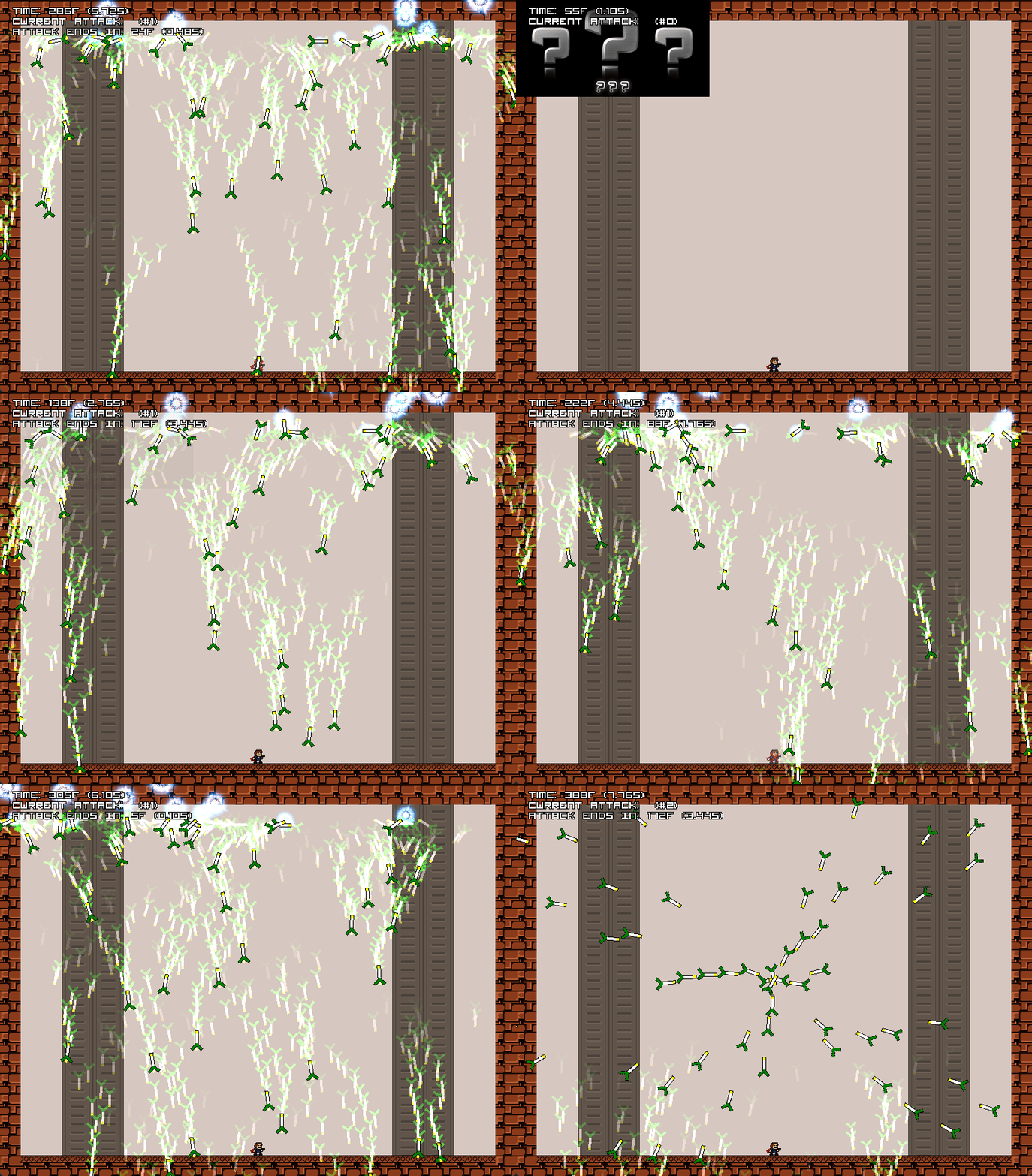
I believe I may have shown this gif previously, but I'm gonna post it again anyways because it's really sick. Here you can see an example of a pretty silly looking Projectile Effect that's been appended to these leek projectiles.
Visual Overhaul
If you thought that I simply adapted the original boss code to the new timelines with some system enhancements and code optimizations, you'd be wrong! I made many countless visual improvements to Boss 1!
There are so many I could talk about, but I keep many of them a surprise for those who play it! I will, however, show you a couple highlights of what came from this! Below, you can find examples of all the systems I mentioned above, and even more that I haven't mentioned.
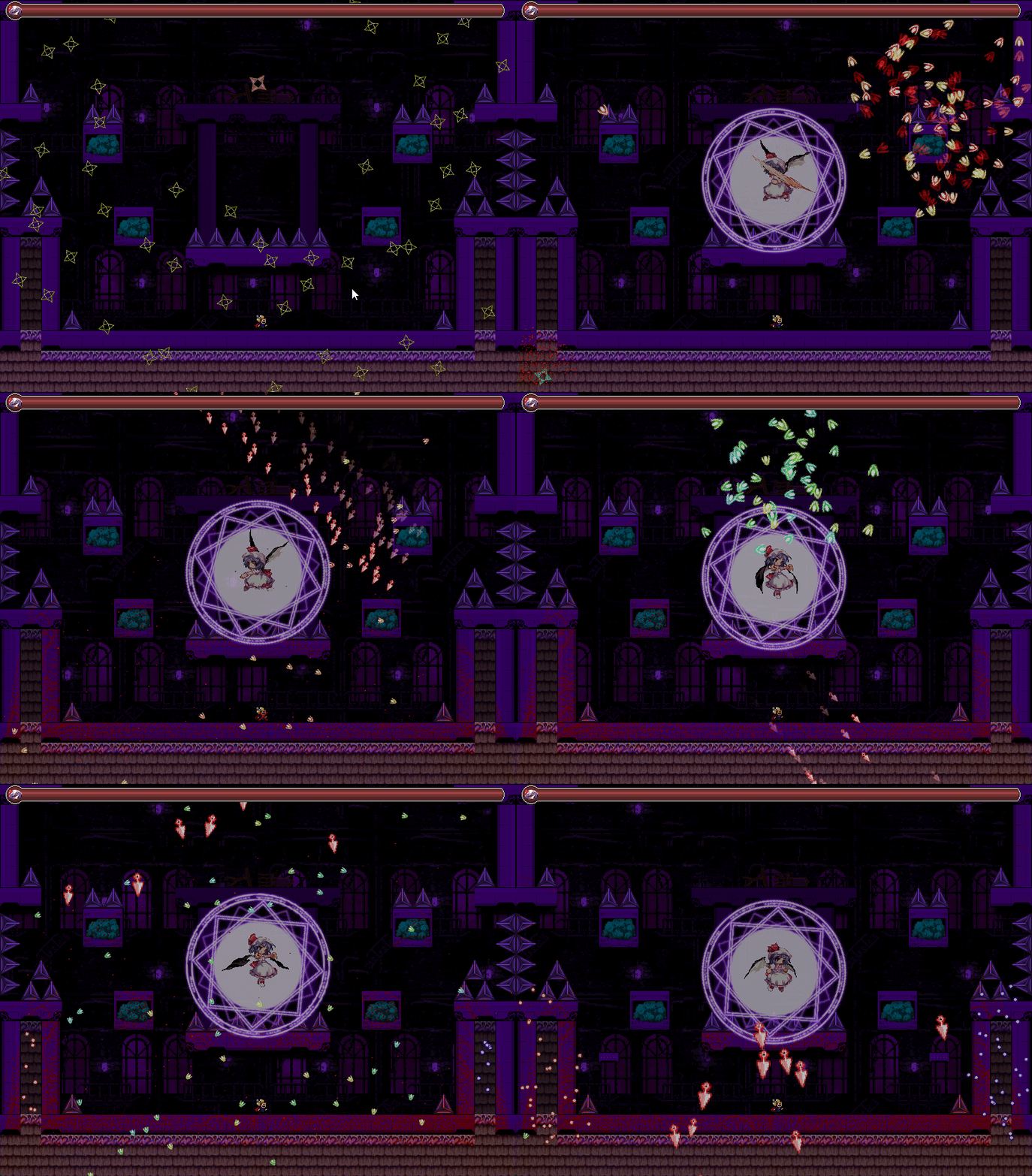
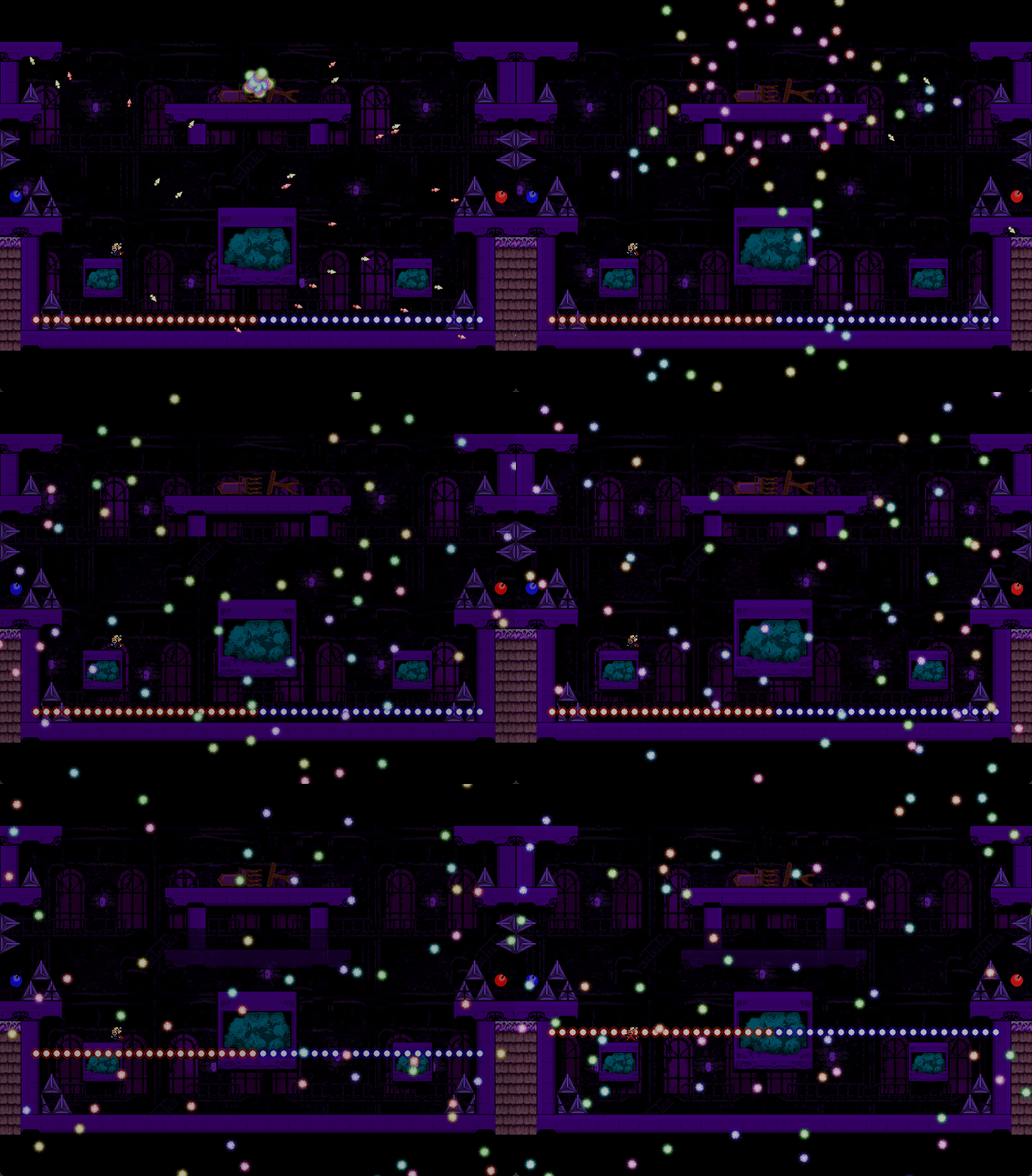
and with this concludes Boss 1. Currently, the gameplay is completely finished and stable. There are still a few visual effects I'm missing that I really want to implement before I can consider this boss "perfected". I will leave those visual changes as a surprise though for when Demo 3 is released!
Materials
While Image Manipulation has definitely been on the forefront of material usage, there's more to talk about in regards to the usage of materials.
When I released Demo 2.1, known as Aesthetic Shades, the primary focus of that update was to overhaul the graphics in as many places as I could, to create visuals for things closer to my ideal vision. I got very, very close with most of them, but being that it was my first foray into shaders, my implementation of them was not necessarily the cleanest.
With the addition of Materials, as well as the global Level Graphics system that Synthas made to streamline the setting of visuals on a per room basis (you can read more about this here: https://synthasmagoria.github.io/materials_in_gm/), I have been able to utilize materials for the applications of those effects! Here's some examples!
_info = new LevelGraphicsInformation();
_info.block_asset_postfix = "_Giripossible";
_info.spike_asset_postfix = "_Giripossible";
_info.mini_spike_asset_postfix = "_Giripossible";
_info.fruit_asset_postfix = "_Giripossible";
_info.titlecard_image_index = TitleCard01.Giripossible;
_info.shader_setup_function = function(inst) {
    inst.shader = shdGradient_Giripossible;
    material_add_float(inst.material, "time", irandom(360));
    material_add_vec2(inst.material, "resolution", 800, 608);
    inst.step = function(id) {
        material_get_uniform(id.material, "time").value.x += frames_to_seconds(1);
    }
    inst.render = function(id) {
        draw_screen_rect(c_black, 1);
        id.draw_shader(id);
    }
    material_add_to_debug_view(inst.material, "Giripossible-A Gradient");
}
_level_graphics_info_map_add_if_not_exist(level_info_map, STAGE01_2A, _info);
This is the setup for the first room of Giripossible. Here, you can see the shader setup function which defines the material used. Most rooms that have a dynamic background will utilize a process like this.
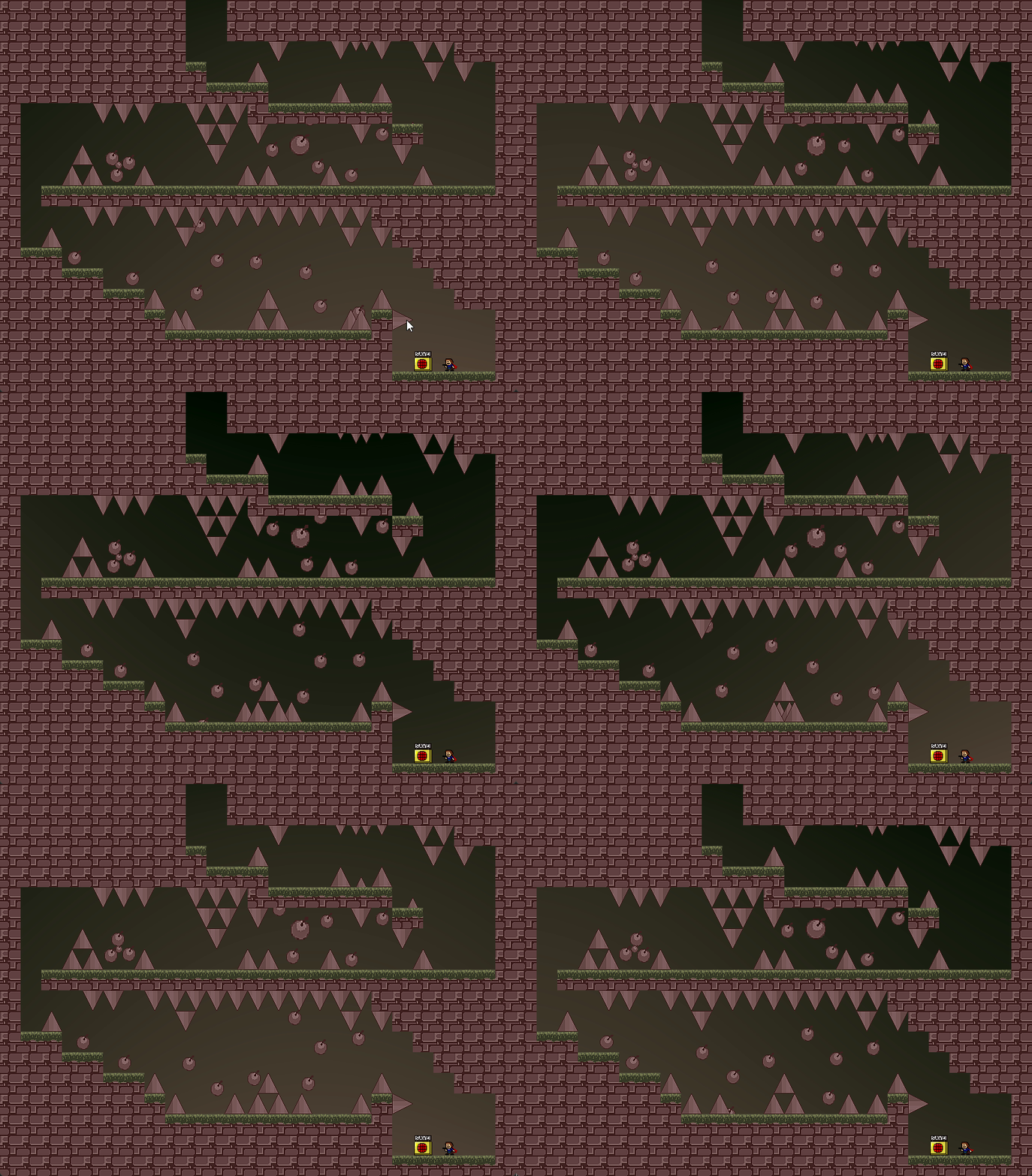
and of course, here is the wonderful result! A very simple way to apply to this effect, all by putting a material object in this room and having the Level Graphics system interact with it.
_info = new LevelGraphicsInformation();
_info.block_asset_postfix = "_Macaron";
_info.spike_asset_postfix = "_Macaron";
_info.fruit_asset_postfix = "_Macaron";
_info.fruit_image_speed = 0;
_info.fruit_image_index_random = 2;
_info.titlecard_image_index = TitleCard02.Macaron;
_info.shader_setup_function = function(inst) {
    inst.shader = shdVista_Macaron;
    material_add_float(inst.material, "time", irandom(360));
    material_add_vec2(inst.material, "resolution", 800, 608);
    inst.step = function(id) {
        material_get_uniform(id.material, "time").value.x += frames_to_seconds(1);
    }
    inst.render = function(id) {
        draw_screen_rect(make_color_rgb(48, 64, 32), 1);
        id.draw_shader(id);
    }
    material_add_to_debug_view(inst.material, "Macaron-A Vista");
}
_level_graphics_info_map_add_if_not_exist(level_info_map, STAGE02_7A, _info);
Another snippet, this time for Macaron-B. Here you can even see a glimpse into the feature Synthas showcased recently, where we add the material to the debug viewer, making it possible to preview its properties and modify them at runtime.
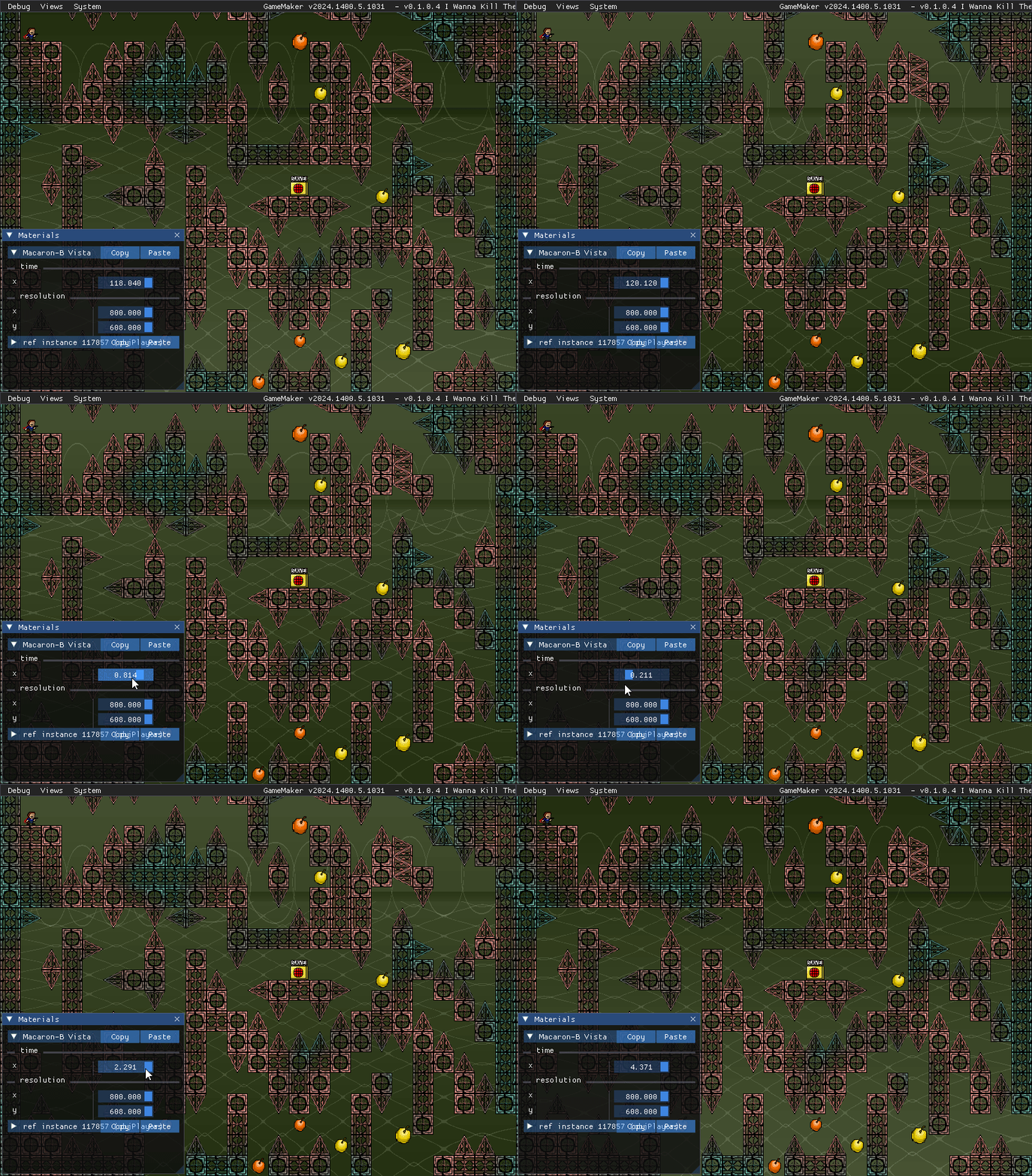
Of course alongside the material enhancements we've made, there's been a few other improvements you may be able to spot if you look closely :P
and, for those of you who are wondering, these things are not at all limited to the currently released content. Here's a little sneak peek of a more in-depth application of a material:
_info = new LevelGraphicsInformation();
_info.block_asset_postfix = "_Starter";
_info.spike_asset_postfix = "_Starter";
_info.titlecard_image_index = TitleCard03.Starter;
_info.shader_setup_function = function(inst) {
    inst.sprite_index = sprBackground_Starter;
    inst.image_xscale = 1;
    inst.image_yscale = 1;
    inst.image_alpha = 0.5;
    inst.shader = shdBits_Starter;
    material_add_float(inst.material, "time", irandom(360));
    material_add_vec2(inst.material, "resolution", 800, 608);
    inst.uvs = sprite_get_uvs(inst.sprite_index, inst.image_index);
    material_add_vec4(inst.material, "uvs", inst.uvs[0], inst.uvs[1], inst.uvs[2], inst.uvs[3]);
    inst.step = function(id) {
        material_get_uniform(id.material, "time").value.x += frames_to_seconds(1);
    }
    inst.render = function(id) {
        draw_screen_rect(c_black, 1);
        gpu_set_texfilter(true);
            id.draw_shader(id);
        gpu_set_texfilter(false);
    }
    material_add_to_debug_view(inst.material, "Starter-A Bits");
}
_level_graphics_info_map_add_if_not_exist(level_info_map, STAGE03_1A, _info);
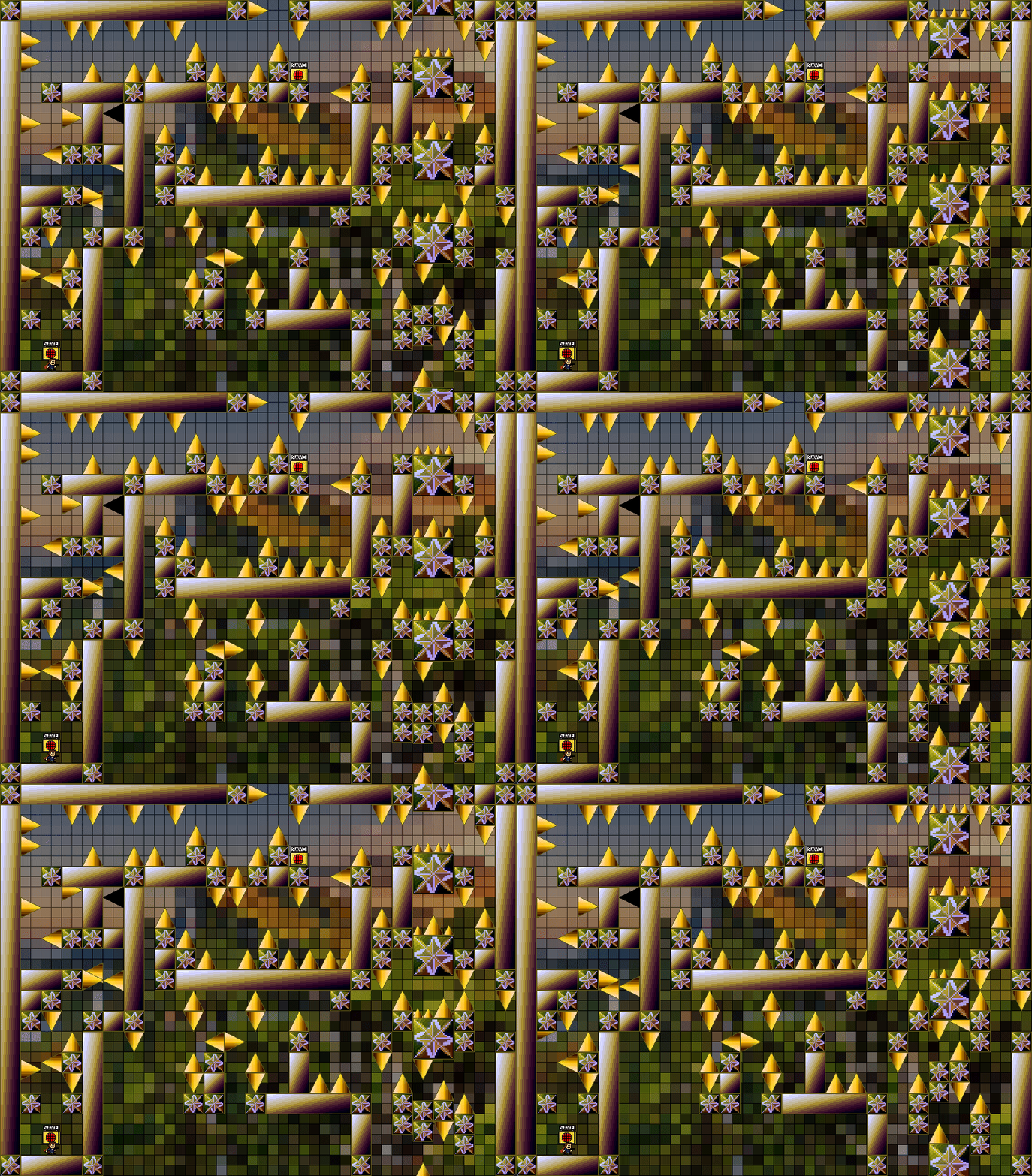
and, perhaps, the beginnings of something new...?
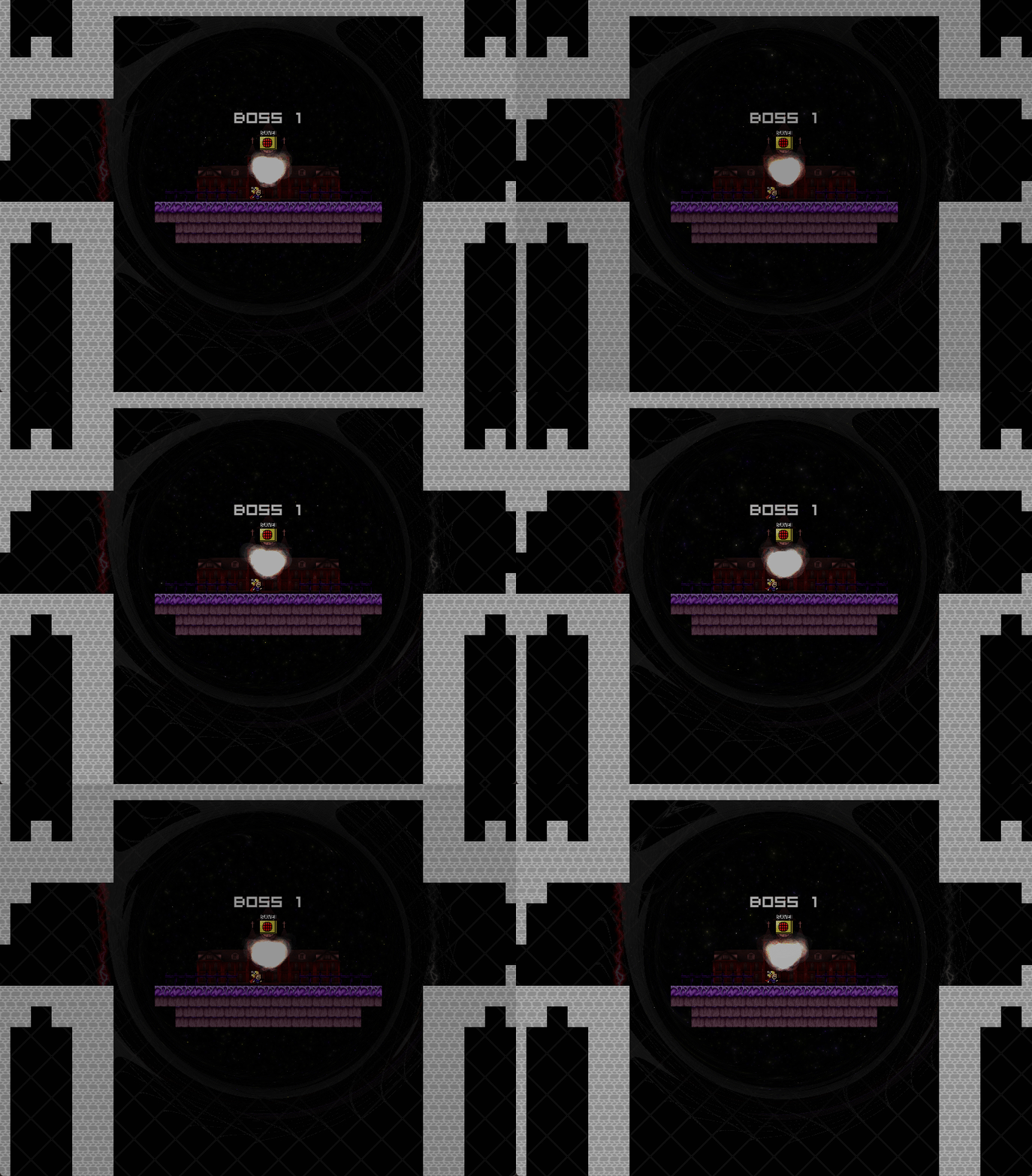
Scribble
For the uninitiated, Scribble is a robust Text Rendering extension for GameMaker, created by JujuAdams. It allows you to do a lot of things from giving text different in-line properties, customizing many elements of fonts, and rendering all sorts of effects onto text. My experience with it is relatively limited so I certainly may not be the best spokesperson for it, so I advise you to check them out if you're interested!
https://github.com/jujuadams/scribble
I had previously tried out Scribble a little bit many years ago, although at the time I was too concerned about other problems with the project and didn't end up fully implementing it. Now, I decided to give Scribble a try once again, and I'm very pleased with the results I've seen thus far! Through using Scribble, I have managed to reduce the number of fonts needed significantly, from like 30 to only a small handful. Not to mention, the text has become so much cleaner looking too, as well as how it's implemented!

In Windowed Mode
In Fullscreen Mode
I'm currently still testing the applications so the appearance of this text may change a little over time, but I am certainly excited to show more of what can be done!
The Future
The last several weeks have been extremely laborious, and what I've shown you here isn't even the half of what all has changed. Currently, there is a rough draft of a practice system as mentioned in the section about Boss 1, though it may be quite a while before it's finalized. As for Boss 2, Refactoring of it will begin soon, and I'm optimistic that with all the available systems it will end up being very approachable. Practice for it will be much easier to create, though once again the finalized setup for it will probably wait until towards the end of Demo 3's development. and finally, in regards to Stage 3 I've put in a lot of work recently towards cleaning up issues in it and optimizing it to the best of my abilities. There's some things that still need to be handled before I proceed, but soon enough I intend to begin testing of Stage 3. Although it is not fully finished, I think there is enough of it that it can be presented to testers and start the process of refining it.
The future is hopeful. Truthfully, I'd say I'm actually caught up now to right where I was originally before the Great Refactor Era began, with needing to improve and fix some elements of Boss 2. I truly believe we are in the home stretch now, and soon all of the new systems and learnings that I've built into my programming will pay their dividends.
Thank you for your continued patience as I work on the game!